External storage pricing for consoles spans a wide range, and the honest answer about whether to spend more depends heavily on which console you own — the two platforms handle external drives very differently, and that changes what “premium” even buys you.
Important platform difference first
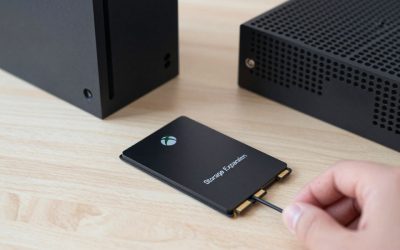
On Xbox Series X|S, an external USB drive can store and directly play Xbox Series X|S-optimized games, not just older titles — Microsoft built native current-gen support into USB expansion. On PS5, external USB drives can only store and play PS4 games and apps; PS5 games must live on the internal SSD or on an installed internal M.2 NVMe expansion drive. This single fact should drive your purchase more than brand reputation.
Reliability is also worth weighing against raw speed for external drives specifically, since they get moved, bumped, and tossed in bags far more than an internal drive ever would. A solid-state drive with no moving parts handles that kind of physical abuse far better than a traditional spinning hard drive, which is part of why most current buying guides favor SSDs over HDDs for console storage despite the higher price per gigabyte.
Budget external drives (HDD or basic SSD)
A basic external hard drive or an entry SSD is the cheapest way to add space, and for Xbox owners storing a backlog of Series X|S games, it genuinely works as primary expanded storage. For PS5 owners, a budget external drive is really only useful as a parking lot for PS4-era games and media — it won’t help store or run PS5-native titles.
Premium external SSDs
WD_BLACK P40 Game Drive SSD and Samsung T9 Portable SSD
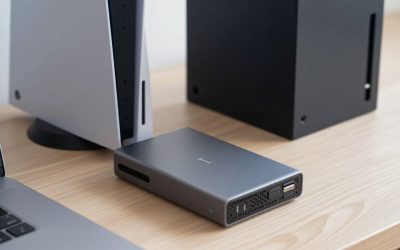
Both are console-friendly, high-speed portable SSDs rated around 2,000MB/s, with the WD_BLACK P40 specifically marketed and widely recommended for console gaming (including Xbox Series X|S native game storage), while the Samsung T9 leans more toward cross-device, creator-style use with slightly broader device compatibility. For Xbox owners, the extra speed and durability of these premium drives is a real, usable upgrade over a budget external HDD. For PS5 owners, remember: even these premium drives only handle PS4 titles and media, not PS5-native games.
The PS5 premium option that actually matters: internal expansion
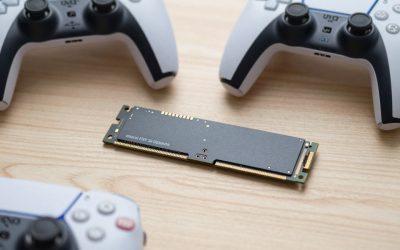
For PS5 owners who actually want faster-loading, console-native expanded storage, the money is better spent on an internal M.2 NVMe expansion drive installed in the console’s own expansion slot — not an external USB drive, premium or otherwise. That’s a different product category and installation process entirely, but it’s the only path to more native PS5 game storage.
Frequently Asked Questions
Will a premium external SSD let me play PS5 games faster?
No — regardless of price, external USB storage on PS5 is locked to PS4 content and apps. Faster PS5-native storage requires an internal M.2 NVMe expansion drive instead.
Is a premium external SSD worth it for Xbox?
Yes, more so than on PS5 — Xbox Series X|S genuinely supports playing current-gen games directly from a fast external SSD, so the speed and reliability premium translates into a real day-to-day benefit.
Can I use the same external drive across both an Xbox and a PS5?
Physically yes, but the console will likely want to reformat it for its own file system, meaning you can’t simply unplug one console’s drive and expect the other to read stored games without reformatting and losing that content.
Does a premium drive’s warranty length actually matter for console use?
It matters more than people assume, since replacing a growing game library after a drive failure is a genuine hassle — a 3-5 year warranty on a premium drive is a meaningful hedge against that, even if you never need to use it.
Factoring in future console generations
It’s also worth considering that an external SSD purchased today will likely outlive your current console generation and carry over to the next one, assuming similar USB connectivity standards persist — a reasonable argument for leaning toward the premium tier if you plan to keep using the same drive across a console upgrade down the road, rather than buying budget storage you’ll want to replace anyway.
Do external drives need to be reformatted when moving to a new console generation?
Often yes — a new console generation may use a different file system or storage requirement, so budget for the possibility of reformatting (and losing stored content) when upgrading consoles, even if the physical drive itself continues working fine.
Is there a meaningful speed difference between USB 3.0 and USB 3.2 external drives for console use?
For PS5 and Xbox’s own speed requirements, a solid USB 3.0/3.1 connection is already sufficient — USB 3.2’s extra bandwidth mostly benefits PC-side transfer speeds rather than in-console game performance.
Should I buy the largest capacity I can afford, regardless of budget tier?
Not necessarily — buying more capacity than you’ll realistically use within the drive’s useful lifespan just ties up money that could go toward games or other accessories. Estimate your actual library growth over the next couple of years rather than maxing out capacity by default.
Do premium external drives come with better customer support?
Generally yes — established brands like Samsung, WD, and Seagate typically offer more responsive support channels and clearer RMA processes than lesser-known budget drive manufacturers, which can matter if something does go wrong down the line.
Final Thoughts
Check your console before your budget: Xbox owners get real value scaling up to a premium external SSD, while PS5 owners chasing more native game storage need to look at internal NVMe expansion instead, keeping external drives reserved for PS4-era backlog and media.
Write Your Review
No reviews yet. Be the first to share your experience!