Modern games routinely eat 80-150GB of storage, and both PS5 and Xbox Series X ship with less usable space than you’d expect after the OS reserve. An external SSD is the easiest fix, but console compatibility rules are different enough between platforms that it’s worth knowing before you buy. Here’s what current storage guides from GamesRadar, GameSpot, and TechRadar are recommending.
The compatibility details matter more here than with almost any other accessory category. On PS5, an external USB SSD can store and directly play both PS4 and PS5 games — no console-specific licensing required, just a drive that meets Sony’s minimum USB 3.0 speed requirement. On Xbox Series X|S, it’s more restrictive: a generic external SSD can store Xbox Series X|S-optimized games, but they must be copied back to internal storage (or an official expansion card) before they’ll launch. Only Microsoft-licensed expansion cards from Seagate, WD_BLACK, and SanDisk can run those optimized titles directly, using the console’s proprietary expansion slot rather than a USB port.
Quick picks by use case: PS5-only households should just buy a Samsung T7 or T9 and call it done — both store and directly play games with no extra steps. Xbox Series X|S owners who want to actually play optimized titles directly need the Seagate Storage Expansion Card specifically, not a generic SSD. If you’re also doing PC-side video editing of captured footage between sessions, the WD_BLACK P40’s faster sequential speeds make it the more useful dual-purpose drive.
Warranty and drop durability are also worth a second look before buying, since these drives live in backpacks and get tossed around more than a desktop SSD would. Samsung backs the T7/T9 line with a 3-year limited warranty, Seagate’s game drives typically carry 3 years as well, and WD_BLACK matches that range — all comfortably better than the 1-year coverage you sometimes see on unbranded budget drives. Given how much data a full game library represents, that extra warranty coverage is worth paying a small premium for.
Samsung T9 Portable SSD
Called the most recommended external gaming SSD across both PS5 and Xbox in multiple 2026 roundups. It uses PCIe NVMe internals for fast, consistent transfer speeds and is built with a sturdy aluminum housing that handles drops better than typical portable drives. On PS5 it can store and directly play PS4 titles and back up PS5 games; on Xbox it stores games but Series X-optimized titles must be moved to internal storage or an official expansion card before play. It also ships with both USB-C and USB-A cables, so it’s immediately compatible with older PCs as well.
Samsung T7 Portable SSD
The T9’s slightly older, often cheaper sibling. It remains one of the safest, most widely recommended choices for console storage expansion thanks to consistent read/write performance and broad compatibility, making it a solid pick if you don’t need the T9’s extra speed headroom. For most people using it purely for PS5 game storage rather than PC video editing, the price difference versus the T9 is hard to justify.
WD_BLACK P40 Game Drive SSD
Western Digital’s gaming-branded portable SSD line stands out for blazing-fast sequential speeds, which matters if you’re also using the drive to edit captured gameplay footage on PC between console sessions. It’s a strong pick for gamers who want speed headroom beyond simple game storage, and its RGB lighting accent is a small bonus for streamers who like their desk setup to match.
Seagate Game Drive SSD for PS5
Seagate Game Drive SSD (PS5-licensed)
A versatile, officially PS5-licensed option that balances speed, capacity, and price. Seagate’s game drives come in capacities up to 2TB, giving you real headroom for a growing game library without needing to juggle multiple drives, and the official PS5 branding on the casing means zero guesswork about compatibility.
Seagate Storage Expansion Card for Xbox Series X
Seagate Storage Expansion Card (Xbox)
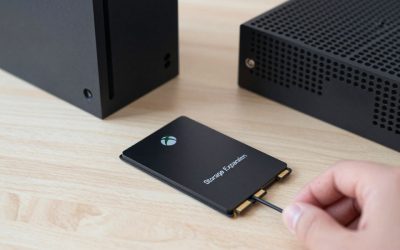
This is the one Xbox Series X|S owners actually need for native play of Xbox Velocity Architecture-optimized games — it plugs directly into the console’s proprietary expansion slot and delivers performance identical to the internal SSD, including full Quick Resume support. Regular external SSDs like the T7/T9 are great for storage and backups, but this card is required if you want optimized titles to run without first copying them back internally. It’s a simple slot-in installation with no screws or setup beyond plugging it in.
Crucial X9 Pro Portable SSD
A slightly less expensive alternative to the Samsung T7/T9 that still delivers solid, consistent read/write speeds for PS5 game storage and direct play. It’s a sensible pick if you want a known, reputable brand (Crucial is Micron’s consumer line) without paying the small premium Samsung commands for near-identical real-world performance in console use.
Frequently Asked Questions
Can I just upgrade the PS5’s internal M.2 slot instead of buying an external drive?
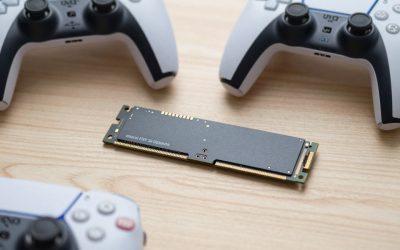
Yes — PS5 supports an internal M.2 NVMe SSD upgrade (with a compatible heatsink) for the fastest possible load times, but it requires opening the console and is less convenient than plugging in a USB drive. External SSDs remain the simpler, no-tools option for most people.
Will a slower, cheaper USB SSD still work fine for console storage?
For PS5, yes, as long as it meets the minimum USB 3.0/3.2 speed Sony requires — games will run identically to internal storage. For Xbox, remember a generic SSD can only store Series X-optimized games, not run them directly, regardless of how fast it is.
Final Thoughts
PS5 owners can grab a Samsung T7/T9 or Seagate Game Drive and be done with it — both work for backup and direct play. Xbox Series X|S owners should treat external SSDs as backup/storage only and budget separately for an official Seagate, WD Black, or SanDisk expansion card if they want optimized games playable without a transfer step.
Write Your Review
No reviews yet. Be the first to share your experience!