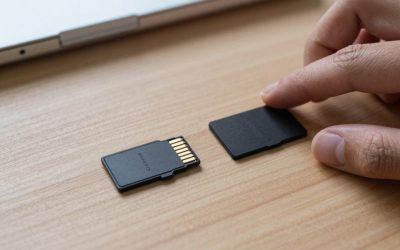
Steam Deck’s internal storage fills up fast once you start installing modern AAA games, and a microSD card is the simplest way to expand it without opening the device or relying only on external drives. The catch is that the Deck’s microSD slot is UHS-I, capped around 104MB/s — so paying for a premium “Express” or high-speed card won’t get you faster load times, since the hardware itself is the bottleneck.
Because speed is capped by the slot regardless of the card, the real differentiators are reliability, capacity, and price. A card that’s well-reviewed for sustained write performance and long-term durability will serve you just as well as a flashier, more expensive one, as long as it’s rated for at least UHS-I speeds. Save the premium microSD Express cards for devices that can actually use their higher PCIe bandwidth, like the Nintendo Switch 2.
It’s also worth sanity-checking counterfeit risk before buying, since microSD cards are one of the most commonly counterfeited electronics categories online. Buying directly from the brand’s official Amazon storefront (rather than a third-party marketplace seller with no track record) and checking that the listing matches the manufacturer’s official packaging photos are both simple, worthwhile precautions — a counterfeit card can fail unpredictably or report false capacity.
Samsung PRO Plus MicroSD Card
The most frequently recommended overall pick, balancing performance, capacity options, and price well. Real-world testing has shown load times within a fraction of a second of the Deck’s internal SSD for many titles, which is about as good as a microSD card upgrade can realistically perform on this hardware.
SanDisk Extreme MicroSD Card
Can’t hit its full rated speed on the Deck’s UHS-I slot, but it still performs reliably and comes backed by a lifetime warranty — a meaningful point if you want a card you’ll keep using for years without worrying about failure.
Lexar Play MicroSD Card
A solid budget option for players who understand that card speed is capped by the Deck’s hardware anyway, so there’s little reason to pay a premium for specs the slot can’t fully use. Reliable for years of regular use at a lower price point than the bigger brand names.
Amazon Basics MicroSD Card
Another budget-friendly option that covers the basics without failure over years of typical use. If you just need extra room for a growing library and don’t want to overthink the purchase, this is a reasonable, no-frills pick.
SanDisk Ultra MicroSD Card
A widely available, well-reviewed budget option that clears the Deck’s UHS-I requirement comfortably. It’s a sensible pick if you specifically want a recognizable brand name at a lower price point than the Extreme or PRO Plus lines, without sacrificing meaningful real-world reliability.
Frequently Asked Questions
Should I buy a microSD Express card for faster speeds?
No — the Steam Deck’s microSD slot is UHS-I and doesn’t support the PCIe-based Express protocol, so you won’t see any speed benefit. Save Express cards for devices built to use them, like the Nintendo Switch 2.
What capacity should I get?
256GB is a reasonable minimum for a handful of modern games; 512GB to 1TB gives real breathing room if you install several large AAA titles at once without constantly managing storage.
Will a faster card help with Proton/compatibility layer performance?
No — Proton’s translation overhead happens in the CPU and GPU, not storage, so card speed has no bearing on it. The only thing card speed affects is how quickly a game’s files load from disk, which is already capped by the UHS-I slot regardless of card choice.
Can I use the same microSD card in a Steam Deck and a Nintendo Switch?
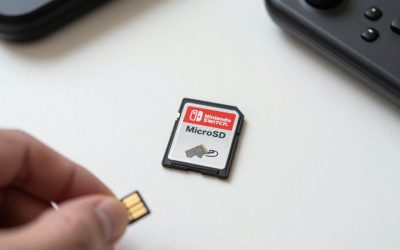
Physically yes, but you’d need to reformat it for each system’s specific file system expectations, and game data isn’t cross-compatible between the two anyway — practically speaking, it’s simpler to just buy a dedicated card for each device.
Kingston Canvas Select Plus MicroSD Card
A sixth reliable option worth comparing on price, especially during sales — Kingston’s consumer microSD line has a solid long-term reliability reputation and typically undercuts Samsung and SanDisk slightly at equivalent capacities, making it worth a quick price check before committing to a bigger-name brand.
Does writing a lot of game save data wear out a microSD card faster than game installs?
Not meaningfully — save data is tiny compared to full game installs, and modern microSD cards are rated for far more write cycles than a typical gaming use pattern would ever approach within a normal ownership period.
Should I back up my microSD card regularly?
It’s good practice, though less critical for games themselves since they can be redownloaded — the bigger risk is losing a card with large amounts of installed content you’d rather not redownload over a slow connection, not actual save-game loss (which Steam typically syncs to the cloud separately).
Does removing and reinserting the card often shorten its lifespan?
Not meaningfully for occasional swaps, but frequent daily removal does add minor physical wear to the card’s contacts and the Deck’s slot over years of use — if you plan to swap cards often, handle both gently and avoid forcing a misaligned insertion.
Final Thoughts
For most Steam Deck owners, the Samsung PRO Plus is the safest all-around buy. If long-term reliability backed by a warranty matters more to you than brand reputation alone, the SanDisk Extreme is worth the slightly higher price, and budget shoppers can comfortably go with Lexar Play or Amazon Basics without a real performance downside.

Write Your Review
No reviews yet. Be the first to share your experience!