Wireless gaming headsets have gotten good enough that latency is rarely a real problem anymore, but “rarely” isn’t “never,” and wired headsets haven’t disappeared for good reasons. Here’s an honest breakdown of what you actually gain and lose going wireless, so the choice is about your setup rather than which option sounds more modern.
Latency: a mostly solved problem
Bluetooth headsets can introduce noticeable audio delay, which is why serious wireless gaming headsets avoid standard Bluetooth for gameplay audio and instead use a dedicated 2.4GHz USB dongle. Headsets like the SteelSeries Arctis Nova 7 use this approach specifically to keep latency low enough that competitive players can’t perceive a difference from wired. A wired headset like the Razer BlackShark V2 X still has a small edge — zero processing delay, by definition — but it’s a difference that shows up in lab measurements more than in actual play.
Battery life is the real wireless tradeoff
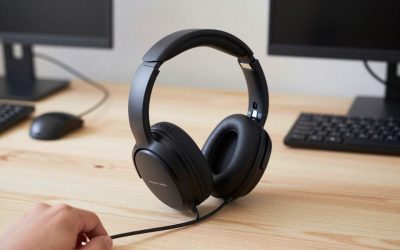
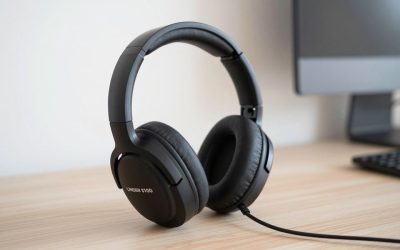
A wired headset never needs charging — plug in and play, indefinitely. Wireless headsets need regular charging, and battery life varies a lot by model and how much RGB or extra features they run. This is a genuine inconvenience if you forget to charge overnight and find yourself grounded mid-session with a dead headset and no cable backup.
Cable management and freedom of movement
This is wireless’s clearest practical win. No cable snagging on a chair arm, no tangle with a controller cable, and no tether length limiting how far you can lean back or get up. For console gaming from a couch at a distance from the TV, this alone can be the deciding factor regardless of audio quality differences.
Price and multi-platform flexibility
Wired headsets are almost always cheaper for comparable audio quality, since you’re not paying for a battery, charging circuitry, or wireless transmitter. Wired is also simpler for switching between devices — just move the cable — while wireless headsets often need their USB dongle moved or re-paired when switching between PC, console, and mobile.
Hybrid setups: the practical middle ground
Many players end up owning both — a wired headset for everyday desk use and a wireless one for couch gaming or when cable clutter genuinely matters. This isn’t an either/or decision for everyone; if you already own a quality wired headset and just want freedom of movement occasionally, a budget wireless secondary option can make more sense than fully replacing a headset you’re happy with.
Frequently Asked Questions
Is Bluetooth good enough for gaming?
For casual single-player gaming, often fine. For competitive multiplayer where audio cues matter for timing, the added latency of standard Bluetooth is noticeable enough that it’s worth avoiding in favor of a 2.4GHz wireless or wired connection.
Do wireless headsets sound worse than wired at the same price?
Not meaningfully at comparable price points today — the wireless premium goes mostly toward the battery and transmitter hardware, not worse drivers.
How much does a wireless dongle cost to replace if lost?
This varies a lot by manufacturer — some sell replacement dongles separately for a reasonable price, while others effectively require buying a whole new headset. It’s worth checking a specific model’s policy before buying if you’re prone to misplacing small accessories.
Does switching between wired and wireless modes affect sound quality on hybrid headsets?
Some hybrid headsets that support both a wired 3.5mm connection and wireless mode show a very slight quality difference between modes, generally favoring the wired connection, though most players won’t notice it without careful A/B listening.
Comfort and weight differences
Wireless headsets generally carry a small amount of extra weight from the battery, which some players notice during very long sessions and others never think about at all. Wired headsets, freed from that battery, are sometimes marginally lighter at the same price point — a small factor, but worth trying on in person if comfort over multi-hour sessions is a priority for you specifically.
Does temperature or humidity affect wireless headset range or reliability?
Not meaningfully for typical home use — 2.4GHz wireless connections are robust enough that normal room conditions don’t cause dropouts. Physical obstructions (walls, large metal objects) between the headset and receiver are a far more common cause of connection issues than environmental factors.
Is it harder to find replacement parts for wireless headsets if something breaks?
Generally yes — a wired headset’s simple cable is easy and cheap to replace if damaged, while a wireless headset’s battery or charging port failure often requires brand-specific parts or a repair service, making wired slightly more serviceable long-term.
Does wireless interference from other devices ever cause real problems?
Occasionally in crowded wireless environments — many routers, other 2.4GHz devices, and dense apartment buildings with lots of competing wireless signals can cause rare dropouts, though this is uncommon enough that most players never experience it in a typical home setup.
Can I use a wired headset’s cable as a backup for a wireless headset?
Only if the specific wireless model includes a 3.5mm wired fallback mode — not all do, so check the spec sheet if having a wired backup for a dead battery is important to you before assuming it’s universally supported.
Final Thoughts
Choose wired if you want the cheapest reliable option, never want to think about charging, or mostly play at a desk. Choose wireless if freedom of movement matters more than saving money, and you’re disciplined about charging between sessions.

Write Your Review
No reviews yet. Be the first to share your experience!