Key takeaways
- Best overall for game streaming: Elgato Facecam MK.2
- Best 1080p60 value: Logitech StreamCam
- Best for low light and sharp detail: Razer Kiyo Pro
- Best with a built-in ring light: Razer Kiyo
- Best classic for Discord and calls: Logitech C922 Pro Stream
- Best budget-friendly sharp picture: Anker PowerConf C200
Finding the best gaming webcams comes down to a few things: smooth frame rates, decent low-light handling, and software that does not fight you. Whether you are hunting for the best webcams for gamers who stream on Twitch, the best webcams for Discord calls with your squad, or the best FPS webcams that keep your face-cam smooth while the game eats your CPU, the right pick depends on lighting and budget more than on headline resolution. Below are six real, currently sold webcams, chosen from manufacturer specs and reviewer feedback. We have not tested them hands-on, so treat this as a research-based guide rather than lab results.
What to look for in the best webcams for gamers
Frame rate over resolution. For streaming, 1080p at 60 fps usually looks better than 1080p at 30 fps because motion is smoother. Some webcams only reach 60 fps at 720p, so read the fine print.
Low-light performance. Gaming rooms are often dim. A larger sensor and a wider aperture help, but good lighting still beats any camera upgrade.
Microphone. Some webcams include stereo mics, while others (like the Elgato Facecam MK.2) leave audio to your own headset or mic. If you already own a headset, a built-in mic matters less.
Field of view and focus. A narrower view of 78 degrees keeps the background out of frame, and wider options fit two people. Autofocus is handy if you move around; fixed focus is more predictable.
Console compatibility. If you want the best webcams for Xbox, be careful. Xbox support for third-party USB webcams is limited and depends on the app and console, so check the manufacturer’s compatibility notes and Xbox support pages before buying. Most of these cameras are designed primarily for PC and Mac.
The best gaming webcams at a glance
- Best overall for game streaming: Elgato Facecam MK.2
- Best 1080p60 value: Logitech StreamCam
- Best for low light and sharp detail: Razer Kiyo Pro
- Best with a built-in ring light: Razer Kiyo
- Best classic for Discord and calls: Logitech C922 Pro Stream
- Best budget-friendly sharp picture: Anker PowerConf C200
Best webcams for streaming: our six picks
Elgato Facecam MK.2
The Facecam MK.2 is built for streamers who want uncompressed video and consistent results, and many roundups name it a top pick for game streaming.
Key specs: up to 1080p at 60 fps (uncompressed), HDR up to 1080p30, Sony STARVIS 1/2.5″ sensor, f/2.4 lens, field of view up to 84 degrees, fixed focus from about 30 to 120 cm, no built-in microphone
- Pro: Smooth 1080p60 output without heavy compression artifacts
- Pro: Fixed focus avoids the focus hunting that autofocus cams suffer from
- Pro: Software controls let you lock exposure and white balance
- Con: No built-in mic, so you need a separate headset or microphone
- Con: Fixed focus means you must stay inside its sweet-spot distance
Best for: streamers who already have a good microphone and want clean, consistent 1080p60.
Check current price on Amazon →
Logitech StreamCam
Logitech designed the StreamCam for creators, and it remains a popular choice for streamers who want 1080p60 in a compact USB-C package.
Key specs: Full HD 1080p at 60 fps, 78-degree field of view, glass lens, USB-C connection; Logitech also promotes a vertical video mode for mobile-style content (microphone details are not listed on the product page we checked)
- Pro: 1080p at 60 fps for smooth motion
- Pro: USB-C connection and a small, flexible mount
- Pro: Vertical video support is handy for short-form clips
- Con: Needs a USB-C port or the right cable for best results
- Con: Pricing varies a lot by retailer, so compare before buying
Best for: beginners and mid-level streamers who want smooth 60 fps video without a big spend.
Check current price on Amazon →
Razer Kiyo Pro
The Kiyo Pro is Razer’s answer for dim rooms, with a large sensor and a wide-dynamic-range mode that suits typical RGB-lit gaming setups.
Key specs: 1080p at 60 fps uncompressed, HDR at 30 fps, Sony STARVIS 1/2.8″ CMOS sensor with 2.9 micron pixels, selectable narrow, medium or wide field of view in Razer Synapse
- Pro: Large sensor helps in low-light rooms
- Pro: Adjustable field of view in software
- Pro: Uncompressed 1080p60 output
- Con: Best features need Razer Synapse software
- Con: Reviewers note that specs and pricing differ between the Kiyo Pro and the newer Kiyo Pro Ultra, so make sure you pick the exact model you want
Best for: gamers who play in dark rooms and want a sharp, adjustable picture.
Check current price on Amazon →
Razer Kiyo
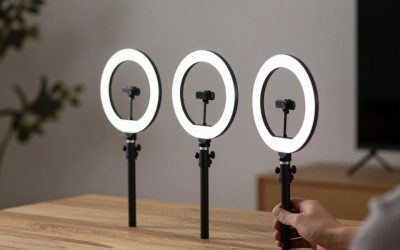
The original Kiyo adds a built-in ring light, which is a simple fix if your room lighting is poor and you do not want to buy a separate light.
Key specs: 1080p at 30 fps or 720p at 60 fps, built-in multi-step ring light balanced to 5600 K, brightness adjusted by rotating the ring
- Pro: Built-in ring light improves face lighting without extra gear
- Pro: Brightness is adjusted by rotating the ring, no software needed
- Con: 1080p is limited to 30 fps; 60 fps requires dropping to 720p
- Con: Not as strong in resolution or dynamic range as newer cameras
Best for: streamers and Discord users who need better lighting on a budget.
Check current price on Amazon →
Logitech C922 Pro Stream
The C922 has been a gamer favorite for years thanks to reliable drivers, easy setup and wide software support.
Key specs: 1080p at 30 fps or 720p at 60 fps, 78-degree diagonal field of view, glass lens with autofocus, two omni-directional stereo microphones
- Pro: Proven and widely supported by streaming software
- Pro: Built-in stereo mics are good enough for casual chat
- Pro: Autofocus keeps you sharp when you move
- Con: Older design with weaker low-light performance than newer cameras
- Con: 60 fps is only available at 720p
Best for: Discord chats, casual streaming and anyone who wants a dependable, no-fuss webcam.
Check current price on Amazon →
Anker PowerConf C200
If you want a sharp, budget-friendly camera, the PowerConf C200 offers 2K resolution and flexible framing, and Tom’s Guide gave it an Editor’s Choice award.
Key specs: 2K, 1080p and 720p at 30 fps, 5 MP sensor, selectable 65, 78 or 95-degree field of view, autofocus, dual stereo microphones with noise reduction, built-in privacy shutter
- Pro: Sharp 2K picture and strong low-light results according to reviewers
- Pro: Adjustable field of view and a handy privacy shutter
- Pro: Typically priced in the budget range
- Con: Limited to 30 fps, so motion is less smooth than 60 fps cameras
- Con: Mounting options are basic, with no swivel
Best for: Discord and video calls, and gamers who value detail over high frame rates.
Check current price on Amazon →
How to get the best picture from any gaming webcam
Lighting matters more than the sensor. Put a soft light source behind your monitor, aimed at your face, and avoid sitting with a bright window behind you. Lock exposure and white balance in the webcam software so the image does not shift every time your game flashes bright scenes. If you play FPS games, remember that capturing 1080p60 video adds a small load to your system, so close extra browser tabs and consider a dedicated USB port for the webcam.
FAQ
What are the best webcams for gamers on a budget?
The Anker PowerConf C200 and the Logitech C922 Pro Stream are both widely recommended entry options. The C200 offers sharper 2K video at 30 fps, while the C922 offers 720p at 60 fps and a long track record.
Do I need 60 fps for a gaming webcam?
Not strictly. 30 fps is fine for Discord and calls, but 1080p at 60 fps looks noticeably smoother on a stream, which is why cameras like the Elgato Facecam MK.2, Logitech StreamCam and Razer Kiyo Pro are popular with streamers.
Can I use these webcams with an Xbox?
Xbox support for third-party USB webcams is limited and depends on the console and app, so we cannot promise any model will work. Check the manufacturer’s compatibility list and Xbox support documentation before you buy.
What is the best FPS webcam?
For first-person shooter streamers, a 1080p60 camera such as the Elgato Facecam MK.2 or Logitech StreamCam keeps your face-cam smooth while your game runs, and the Razer Kiyo Pro is a good option if your room is dim.
Final take
For most streamers, the Elgato Facecam MK.2 or Logitech StreamCam are the best gaming webcams for smooth 1080p60 video, the Razer Kiyo Pro suits dark rooms, and the Anker PowerConf C200 and Logitech C922 are sensible budget picks for Discord. Match the camera to your lighting, your microphone setup and your budget, and you will get a better result than chasing the highest resolution on the box.


Write Your Review
No reviews yet. Be the first to share your experience!