Standard controllers assume two functioning hands and a specific range of finger movement, which simply doesn’t work for every player. The accessibility controller category has matured significantly, with options ranging from fully modular switch-based systems to single officially supported adaptive pads. Here’s what’s actually available and worth considering in 2026.
Sony PS5 Access Controller
Sony’s official accessibility controller is a round, flat pad that can be used in any orientation and positioned however is most comfortable — flat on a table, mounted on a stand, or combined with a second Access controller for a full two-handed custom setup. Its buttons and analog stick are swappable and remappable through PS5 system settings, and it can be paired alongside a standard DualSense for a hybrid setup. At roughly $90, it’s a meaningfully priced but purpose-built, officially supported option for PS5 owners.
Microsoft Xbox Adaptive Controller
Microsoft’s adaptive controller is less a standalone pad and more a hub — a large, flat device with big programmable buttons and numerous 3.5mm and USB ports for connecting external switches, joysticks, and buttons from third-party accessibility hardware makers. It’s designed to be built out into a fully custom setup matched to a specific player’s needs, rather than used exactly as it ships. Availability has been inconsistent through official retail, so checking current stock before counting on it is worthwhile.
Logitech G Adaptive Gaming Kit
Logitech G Adaptive Gaming Kit
Designed specifically to pair with the Xbox Adaptive Controller (and PC), this kit adds 3D-printable buttons and triggers in multiple shapes and sizes, so individual buttons can be swapped for larger, smaller, or differently shaped inputs depending on grip strength and range of motion. It’s not a controller on its own — it’s the customization layer that makes an adaptive controller actually fit a specific person’s hands.
PDP Victrix Pro BFG Controller
Officially licensed for PS5, the BFG’s reversible left module lets left-handed players move the thumbstick and D-pad to their dominant side entirely, which is a genuinely different approach to accessibility than remapping buttons in software — it physically reconfigures the controller’s layout to match a specific player’s needs.
ByoWave Proteus One-Handed Controller Kit
ByoWave Proteus Controller Kit
A controller designed from scratch for single-hand use rather than adapted from a two-handed design, with a modular, tool-free build system that lets you construct a one-handed, two-handed, or tabletop configuration depending on need. It’s compatible with PC, Steam Deck, and Xbox Series X|S, making it one of the more flexible purpose-built options for players who specifically need single-hand operation rather than a full custom switch setup.
Choosing between them
If you’re on PS5 and want an officially supported, ready-to-use option, the Access Controller is the simplest path — it works well out of the box with its own remapping software. If you’re on Xbox or PC and need a deeply customizable setup built from individual switches and inputs, the Adaptive Controller plus the Logitech kit is the more flexible but more involved combination. For one-handed play specifically, across PC, Steam Deck, or Xbox, the ByoWave Proteus is purpose-built rather than adapted, which is worth trying before assembling a more complex custom switch setup.
How much does it typically cost to build a fully custom adaptive setup?
Costs vary enormously depending on how many external switches and specialty inputs you add — a basic Xbox Adaptive Controller setup with a couple of switches can run under $150 total, while a fully customized multi-switch setup for complex needs can run several hundred dollars once every component is accounted for.
Are there community resources for configuring adaptive controllers?
Yes — organizations like AbleGamers and various online communities maintain guides and configuration advice specifically for adaptive gaming setups, which is often more useful than generic product reviews for figuring out what combination of switches and inputs will actually work for a specific person’s needs.
Can adaptive controllers be used alongside standard controllers in the same session?
Yes — most setups, including the PS5 Access Controller and Xbox Adaptive Controller, are designed to be used alongside or in combination with standard controllers, letting players mix and match inputs across both hands as needed.
Frequently Asked Questions
Can the PS5 Access Controller be used on PC?
It’s designed and optimized for PS5; official PC support isn’t guaranteed, so check current compatibility before relying on it for PC use.
Do I need two Access Controllers?
Not necessarily — many players use one alongside a standard DualSense, assigning different functions to each hand based on what’s comfortable.
Does the 8BitDo Lite SE offer any accessibility benefits?
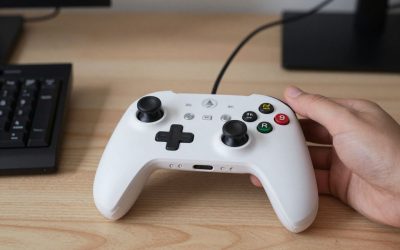
Yes — it’s a budget-friendly Xbox-licensed pad designed with low-resistance buttons that require less force to press, which some players with limited hand strength find more comfortable than a standard controller’s firmer button feel, even though it isn’t marketed primarily as an accessibility product.
Can accessibility controllers be covered by insurance or assistance programs?
In some regions, adaptive technology purchases may qualify for assistance through disability support programs or insurance, though coverage varies significantly by country and provider — worth checking with local resources before assuming it’s entirely out-of-pocket.
Final Thoughts
Accessibility controllers aren’t one-size-fits-all by design — they’re meant to be configured around the individual player. Start with the officially supported option for your platform (Access Controller for PS5, Adaptive Controller for Xbox/PC), then layer in third-party customization like the Logitech kit as needed.

Write Your Review
No reviews yet. Be the first to share your experience!