Picking a wireless controller for PC gaming comes down to how you actually play: casual co-op on the couch, competitive shooters, or everything in between. The good news is that 2026’s lineup covers every budget without forcing big compromises on latency or build quality. Here are five controllers worth a look, based on current roundups and hands-on coverage from outlets like How-To Geek, Newegg Insider, and PCGamesN.
Before picking a model, it helps to know what actually separates a good wireless pad from a mediocre one. Latency is the big one — look for 2.4GHz wireless dongles or Bluetooth Low Energy rather than older Bluetooth Classic connections, since those add noticeable input lag in fast-paced games. Stick longevity matters just as much: traditional potentiometer thumbsticks wear out and start “drifting” after a year or two of regular use, while newer Hall Effect and TMR (tunneling magnetoresistance) sticks use magnets instead of physical contact points and essentially don’t wear out the same way. Battery life, button remapping, and whether the controller is officially supported by Windows/Steam versus requiring third-party drivers round out the rest of the decision.
Quick picks by use case: want it to just work with zero setup, the Xbox Core Wireless Controller is still the easiest buy. On a tight budget but want drift-resistant sticks, the 8BitDo Ultimate 2C is the value pick. Want precision without Elite-tier pricing, the 8BitDo Ultimate 2 with its charging dock is the sweet spot. Playing competitively and want every customization option available, the Xbox Elite Series 2 remains the benchmark.
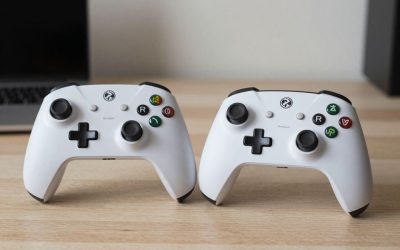
Xbox Core Wireless Controller
The default recommendation for most PC gamers, and for good reason: Windows and virtually every Steam game recognize it instantly with zero setup. It connects over Bluetooth or a USB-C cable, has a comfortable, well-proven shape, and comes in dozens of colorways. If you just want something that works the moment you plug it in, this is still the safest buy on the market. It also doubles as a console controller if you own an Xbox, so you’re not buying single-purpose hardware.
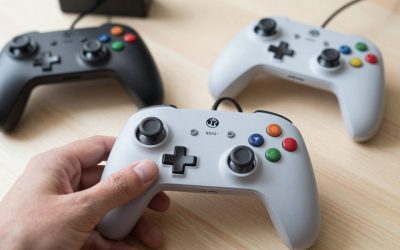
8BitDo Ultimate 2C Wireless Controller
For budget-conscious PC and mobile players, the Ultimate 2C stands out by packing Hall Effect thumbsticks — which resist the stick-drift that plagues cheaper pads over time — into a sub-$30 controller. It supports both 2.4GHz wireless (via included dongle) and Bluetooth, and buttons are remappable through 8BitDo’s companion app. The trade-off is console compatibility: it’s built for PC, iOS, and Android, not Xbox or PlayStation. For a second or third controller to keep at a PC desk specifically, though, it’s hard to beat on price-to-feature ratio.
8BitDo Ultimate 2 Wireless Controller with Charging Dock
Step up from the 2C and you get TMR sticks, Hall Effect triggers, a proper charging dock, and a reported 1000Hz polling rate over 2.4GHz — specs that used to be exclusive to premium pro controllers. It lands under $100 and is a strong middle-ground pick for PC players who want precision without buying an Elite-tier pad. The included dock also means you’re never hunting for a USB cable when the battery runs low, which is a small but genuinely useful convenience most budget controllers skip.
Xbox Elite Wireless Controller Series 2
Widely regarded as the best all-around wireless controller for serious PC gaming, the Elite Series 2 adds adjustable-tension thumbsticks, swappable paddles, a battery life rated around 40 hours, and premium build materials. It isn’t cheap, but for players who want pro-level customization — remappable back paddles, hair-trigger locks, multiple profiles — this is the one competitive players keep coming back to. The included carrying case and spare component kit (extra thumbsticks, paddles, a D-pad swap) also make it feel like a long-term investment rather than a disposable peripheral.
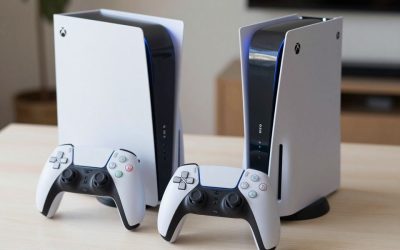
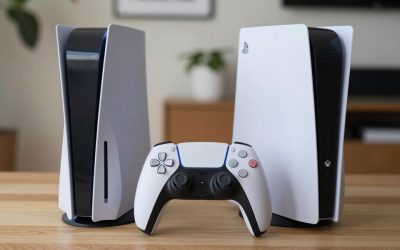
Sony DualSense Wireless Controller PS5
If you already own a DualSense for your PS5, it works surprisingly well on PC via Steam or DS4Windows, bringing adaptive triggers and haptic feedback to supported titles. It’s not the plug-and-play experience an Xbox pad offers on Windows, but for games that specifically support DualSense features, the immersion bump is noticeable. It’s worth noting Steam’s native DualSense support has improved significantly, so for most modern titles you can skip third-party drivers entirely and just connect over USB-C or Bluetooth.
Final Thoughts
For zero-hassle PC gaming, the Xbox Core Wireless Controller remains the easy default. Budget shoppers should look at the 8BitDo Ultimate line, while competitive players chasing every edge will want the Elite Series 2’s adjustability. Whichever you pick, prioritize Hall Effect sticks or triggers if you plan to put serious hours in — drift is still the most common failure point on budget pads, and it’s the one spec worth paying a little extra to avoid.



Write Your Review
No reviews yet. Be the first to share your experience!